Write or check it off
Capture a text note or make an interactive checklist. Saving happens on your phone, with a clear status as you write.
A notebook that stays with you

Catch the thought.
Keep it on your phone.
Notes, shopping lists, plans for later. A quiet place to write, with useful organization and a backup you can take with you.
Download for AndroidFree · Android 8.0 or newer · No account
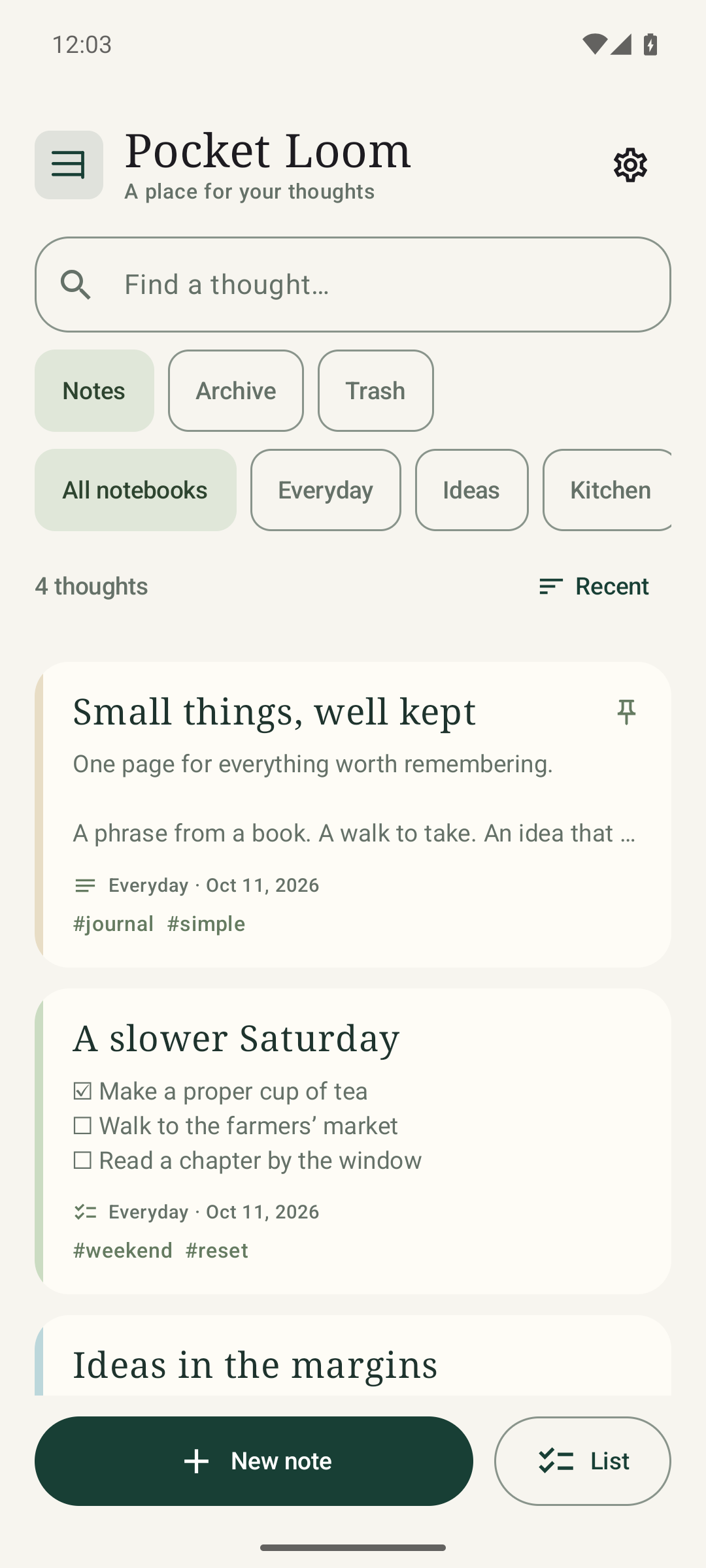
For ordinary days
Start with a thought. Give it a home when you have a moment.
Capture a text note or make an interactive checklist. Saving happens on your phone, with a clear status as you write.
Use notebooks and tags, pin something important, or search for the words you remember. Archive finished notes and restore notes from the trash.
Save a complete JSON backup for restoration, or export a note as Markdown or plain text to use elsewhere.
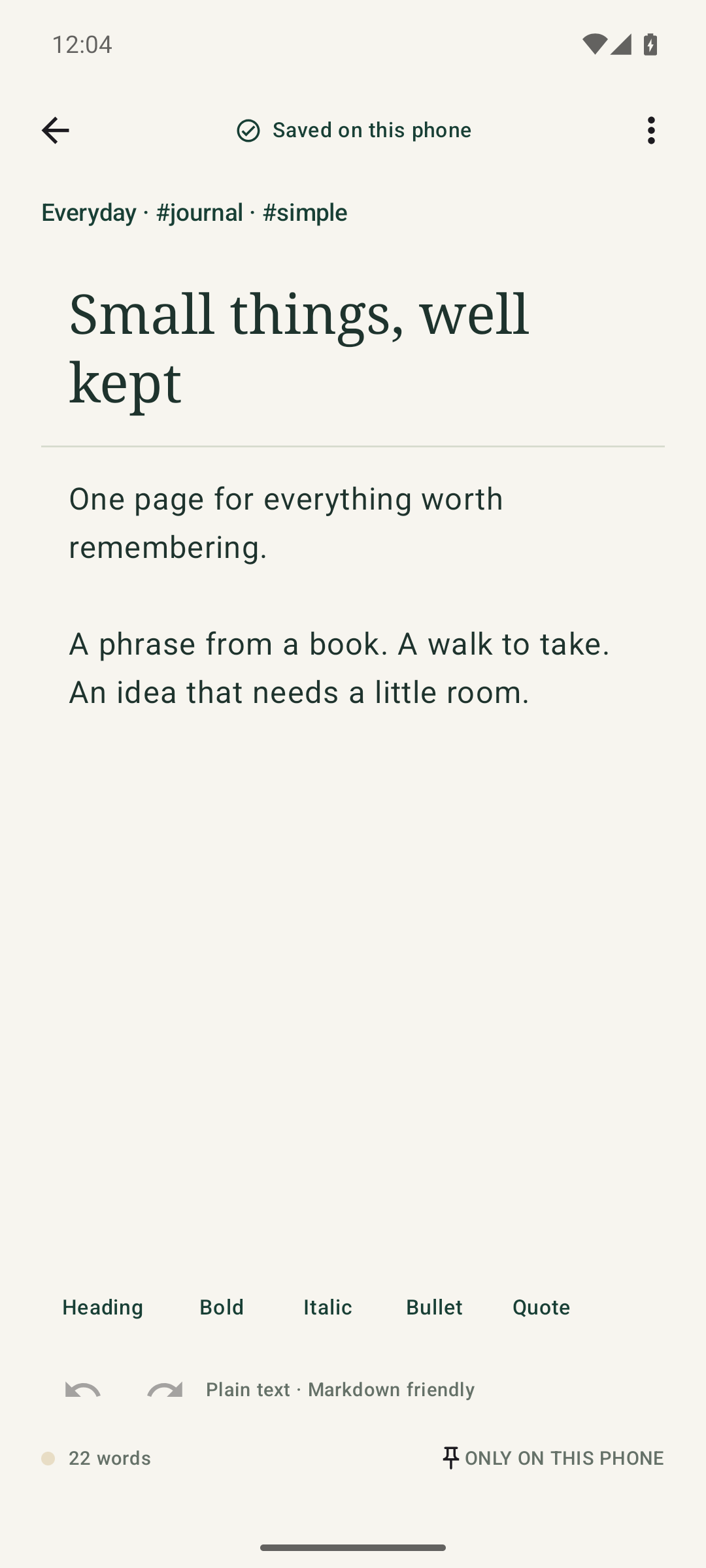
A comfortable place to think
Light and dark appearance, gentle color accents and readable text keep the focus on your words.
Pocket Loom is a phone notebook. It has no cloud sync, shared workspace, AI assistant or account. Markdown helpers are lightweight; this is not a full rich-text editor.
Keep a copy you control
Your live notes are stored in Pocket Loom's private app storage. The app has no internet permission and does not upload your notes or send usage analytics. Automatic Android cloud backup is disabled.
Uninstalling the app or clearing its storage removes your notes. Make a backup before changing phones or uninstalling. A backup kept only on the same phone cannot protect against losing that phone.
Exports and backups contain readable, unencrypted content. Keep them somewhere you trust. Use a local folder to keep a copy on the phone; sharing an exported file through another app is your choice.
Full JSON backups and imports have a 32 MiB limit. For a larger library, export individual notes as text or Markdown. The app's private storage is separate from other apps; Pocket Loom does not offer an independently encrypted vault or an app password.
A direct Android download
You'll download an APK from Truckfish, outside Google Play.
Use this page's download button. Confirm the address is truckfishgames.com. Your browser may show a warning for an APK; review its source before continuing.
Open your Files or Downloads app and tap the APK. Android may ask you to allow installation from this browser or file app. Grant that permission for this installation if you choose to proceed.
Tap Install, then Open. You can turn off “Allow from this source” afterward. Keep Pocket Loom installed when applying a compatible signed update so your notes stay in place.
com.truckfish.pocketloom15b09e9ab86cff01ad6a5adfe76198b6404aca4ca9e934526bf02aba5286215eThe hash identifies the exact APK. If Android reports a signature conflict, make a backup and contact support before removing your existing app.
Help shape the next version
Tell us what worked, what got in the way, or which small feature you missed. Feedback is voluntary.
Include the app version, Android version, device model and steps to reproduce a problem. Please leave private notes, backups, passwords and other sensitive content out of your message. Screenshots are optional; remove private content first.
Your email opens in the mail app you choose. Nothing is sent until you decide to send it. We cannot recover notes from a phone or backup we do not have.