
Truckfish Games / Windows + Android
Glowknot
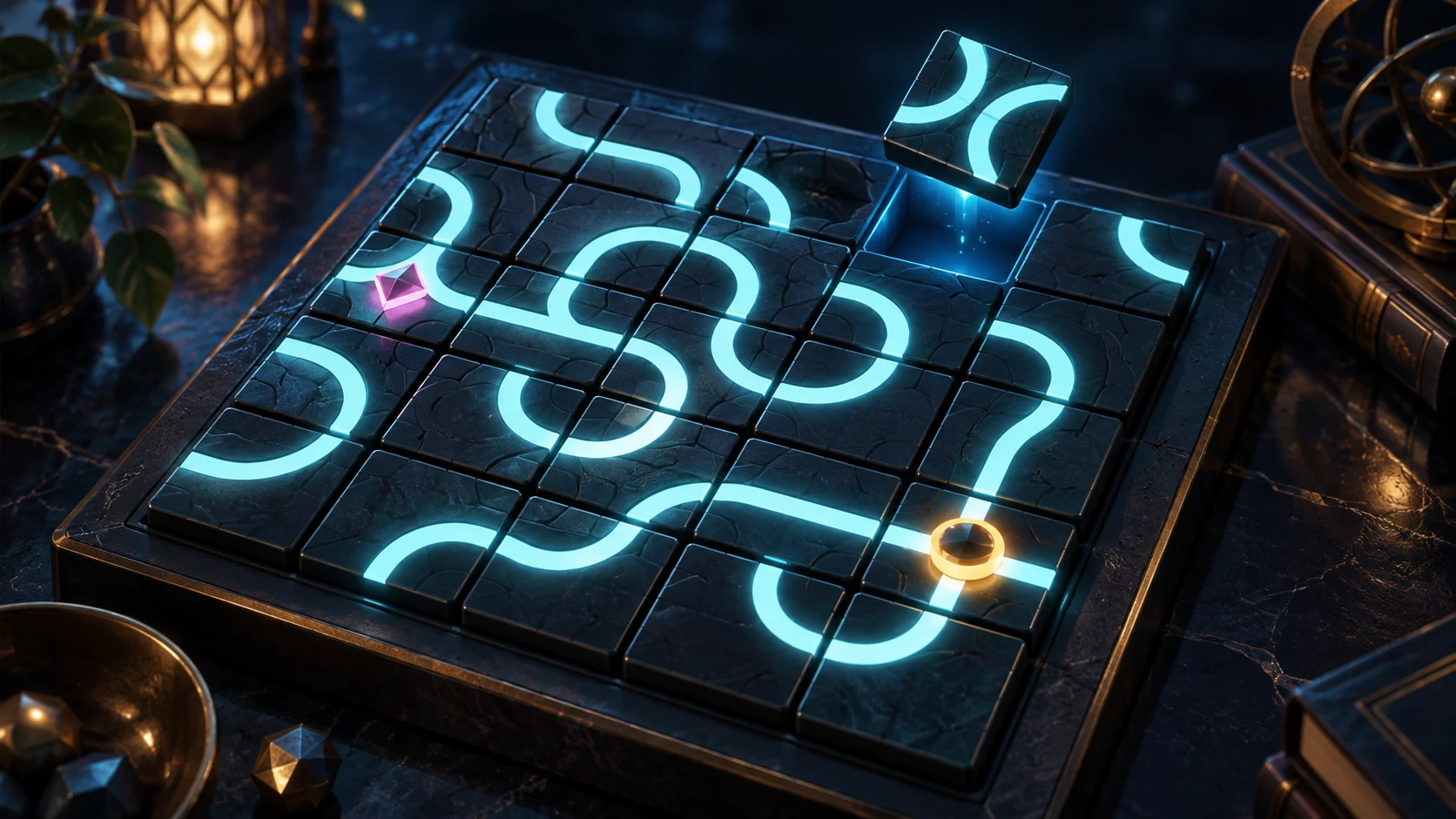
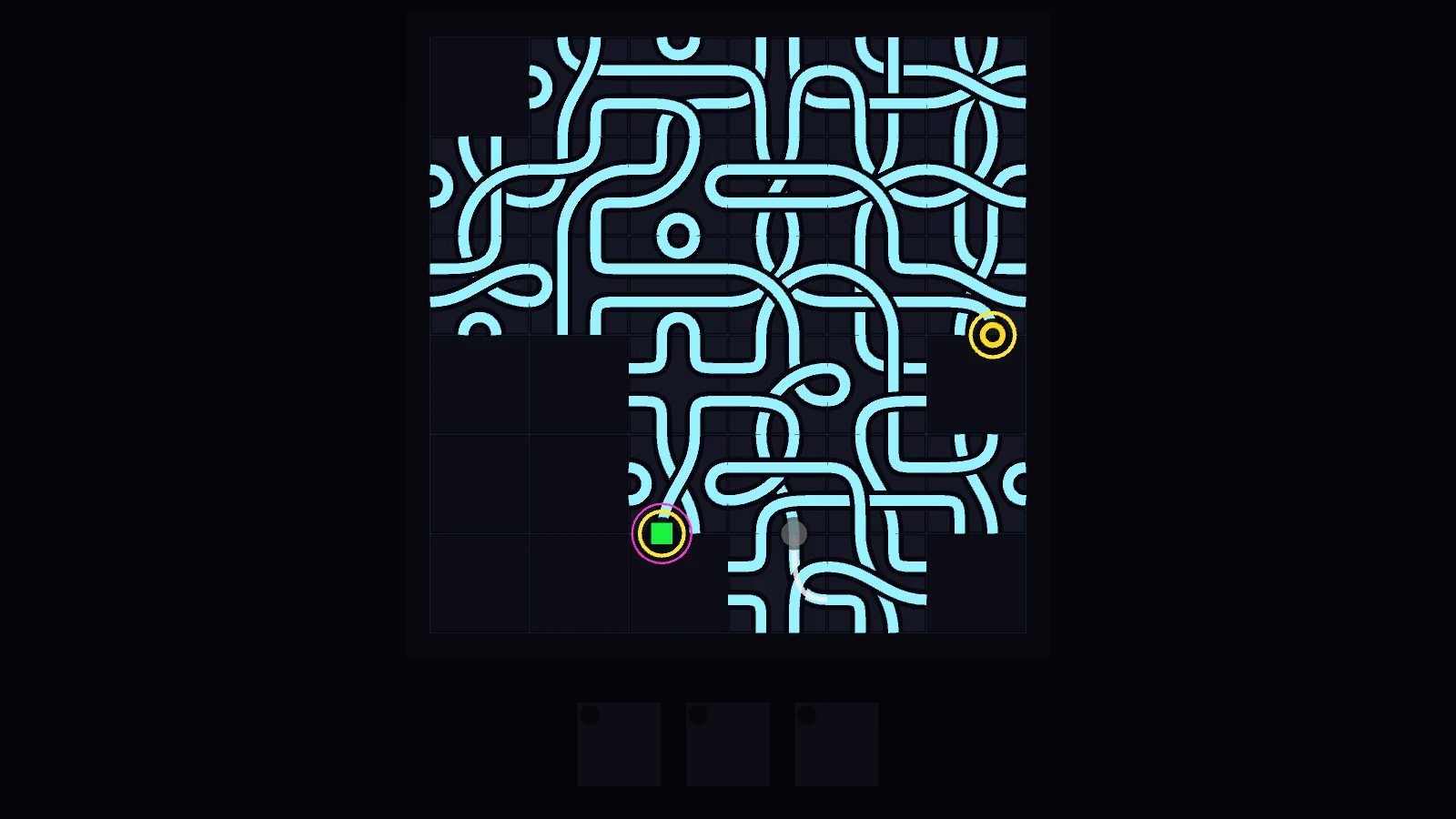
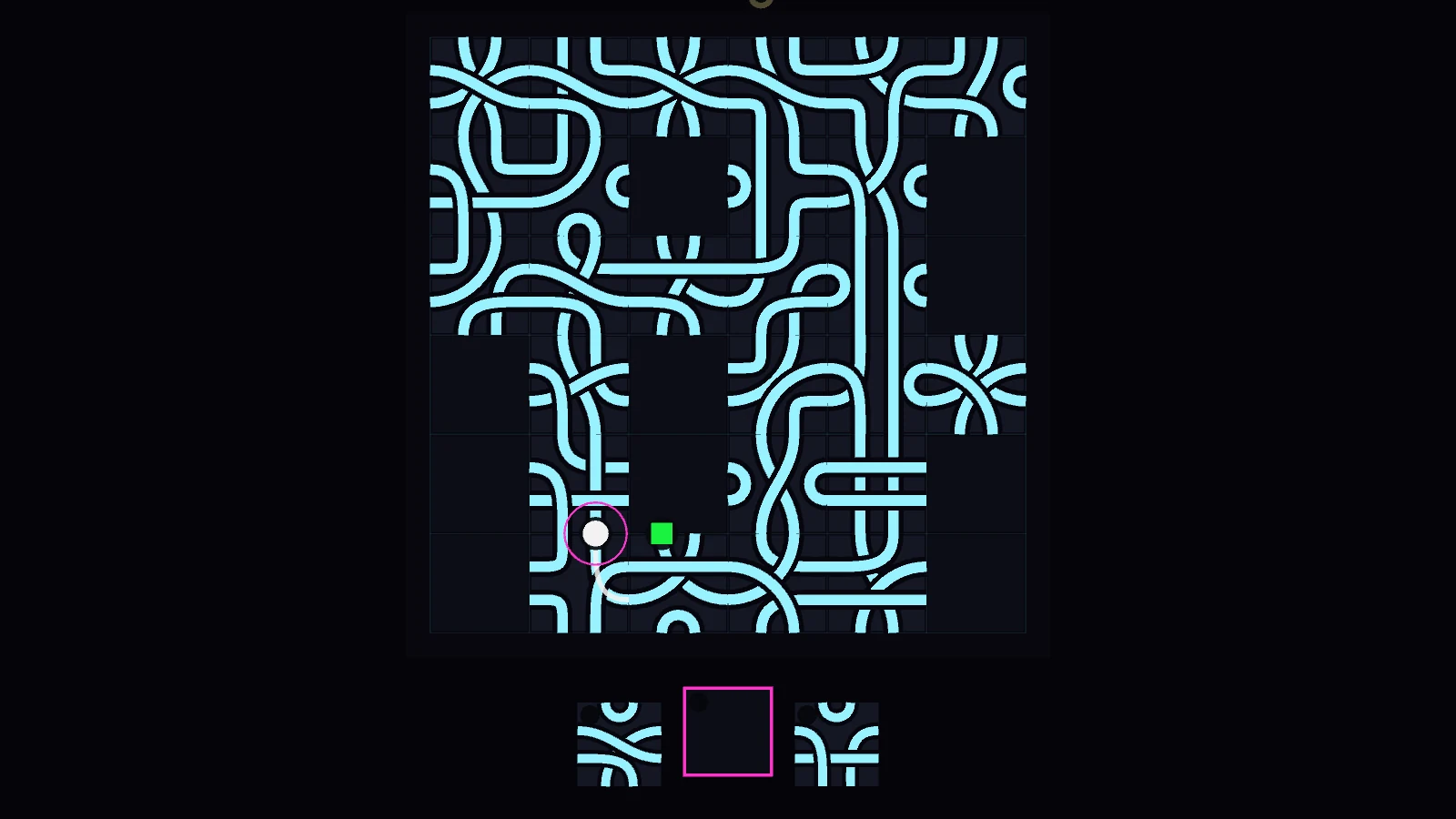
Your marker waits on the edge of a six-by-six board. You hold three tiles, each with four paths. Rotate one and lay it ahead of you to ride the road, or build into an empty square beside it to change the board without moving yourself.
Windows · v1.0.1 · 37.0 MBAndroid · v1.1.0 · 36.7 MB
$8USD · one-time purchase
Account and verified email required. Download from your library after payment.
Inside the game
One more move.
- Stay on the board while the others run out of safe paths. The last surviving marker wins; surviving markers may share a result when no tiles remain. The Long Path links five rungs. Free Play lets you choose a table, including local human seats.
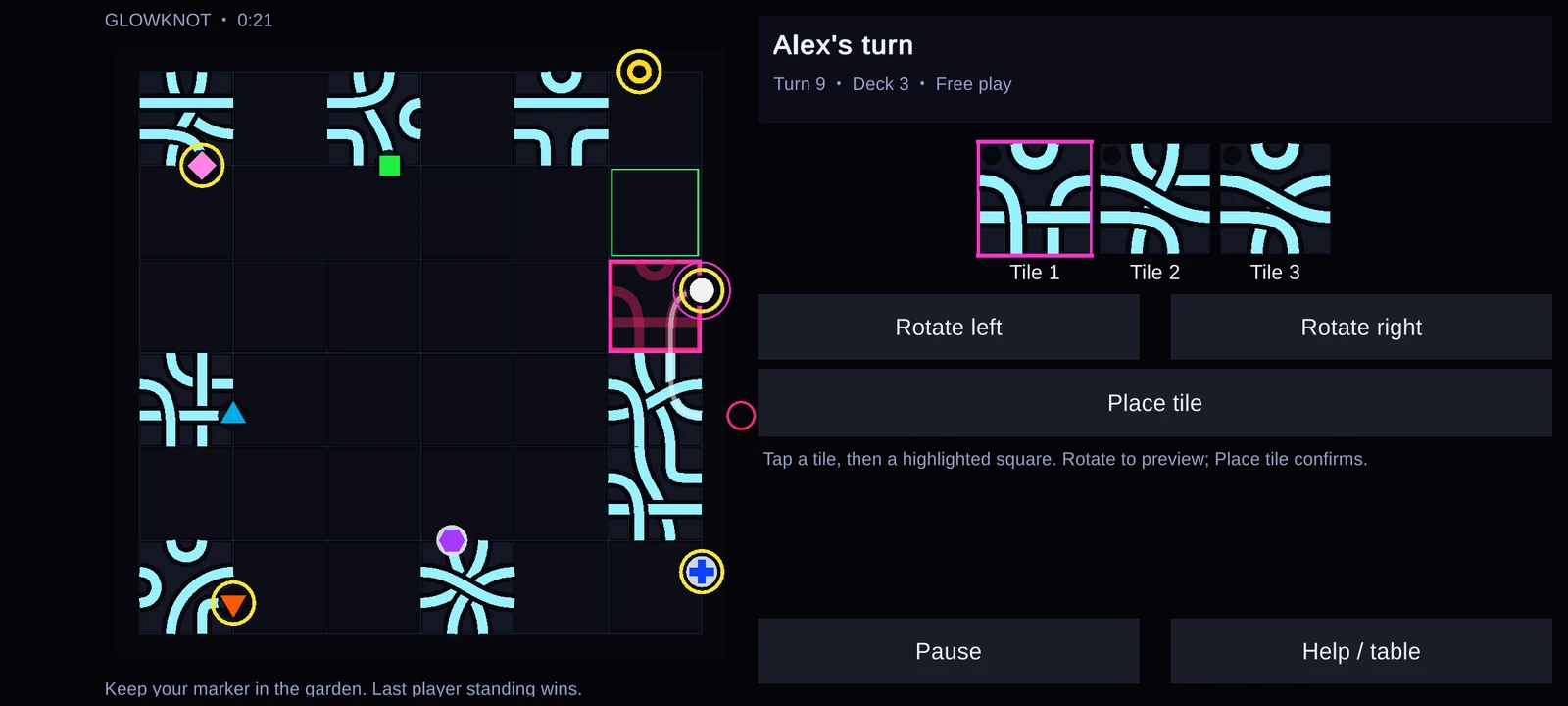
- You can reach the empty square directly in front of your marker and the empty squares immediately beside it. Placing in front makes you ride. Placing to the side leaves you still, but any other marker facing that square rides its new path.
- A path leaving the board eliminates its marker. Markers that meet on a notch or travel head-on along the same path are eliminated. A closed loop is also fatal. A red warning does not block a human move: you can choose the risk.
- Draw back toward a hand of three after a turn. When the deck is empty, the Barrow marks who should receive returned tiles first. Eliminated hands return to the deck. Plan for scarce choices as the board fills.
Windows controls
- 1 / 2 / 3: Select a tile from your hand.
- Q / E: Rotate the selected tile.
- Mouse wheel / right mouse: Rotate the selected tile.
- Arrow keys: Choose a reachable placement square; choose a starting notch during setup.
- Space: Place on the selected square.
- Left mouse button: Select a hand tile or place on a reachable board square.
- Hold Tab: Outline placement options.
- Esc: Pause or close the current panel.
- F5 / F9: Save / continue a saved run.
- N / C / F on title: Long Path / continue / Free Play.
Android controls
- Hold your device in landscape. Tap a hand tile, then a highlighted board square.
- Rotate left / Rotate right: preview the selected tile. Place tile: confirm the move.
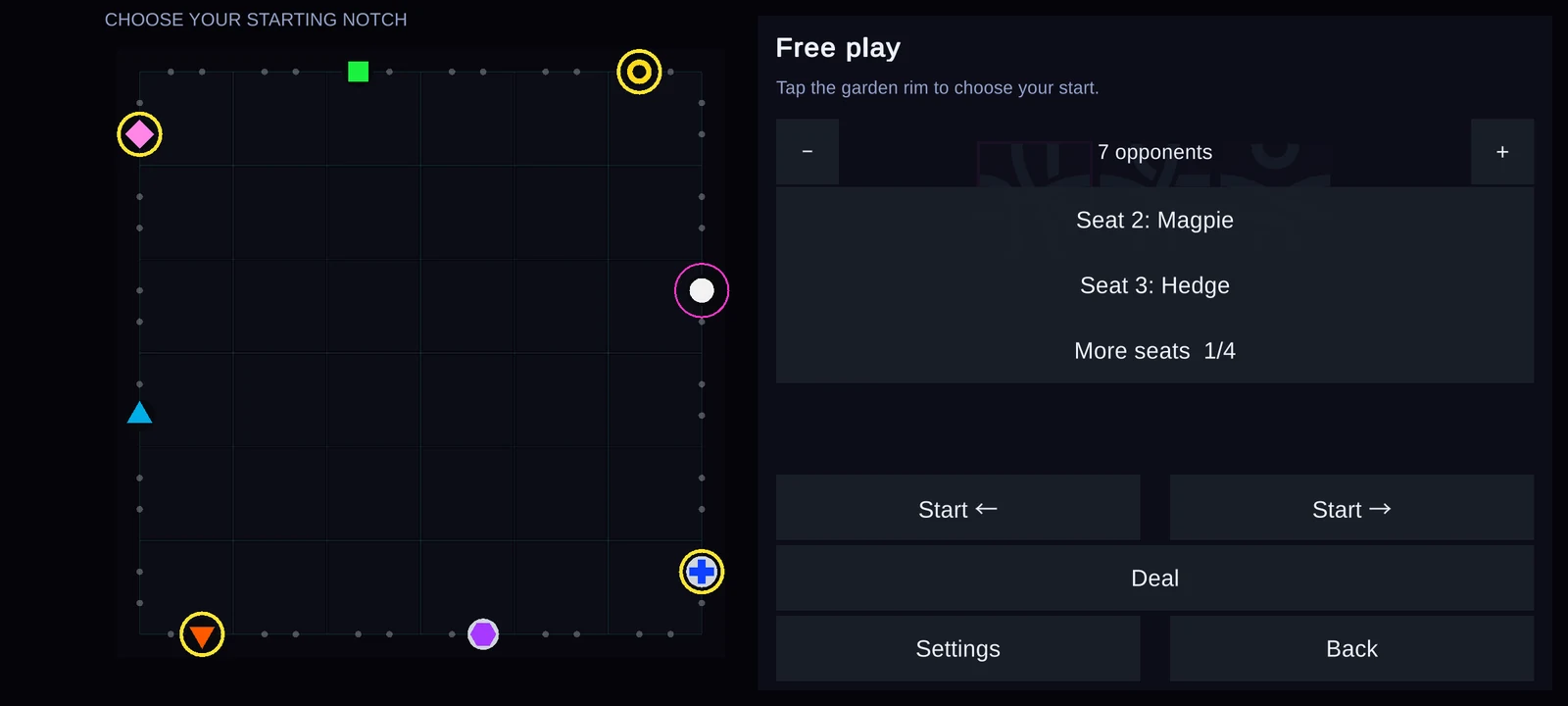
- During setup, tap the garden rim to choose your starting notch, then tap Deal.
- Free play: use the opponent count buttons and tap each seat to choose a computer opponent or A person. More seats shows the remaining seats.
- Pause: resume, Save game, Load saved game, or Save and return to title. Continue saved game on the title restores this profile's progress.
- Android Back pauses or resumes play and closes panels. Help / table shows the rules and players.
- Settings has touch controls for volume, display size, colour-safe markers, reduced flashing and difficulty.
From the real game.
Full image frames. Capture details below.
Windows v1.0.1 · SHA-256
2033cdd8ce45bcb2e5b8fa954e8583f698b64ca6ddd85c090906c3c905b1f92aAndroid v1.1.0 · SHA-256
f4169653951ff9777b29228a5a2753eab8c1b19067b4fa4c08282524a99df412