
Truckfish Games / Puzzle · Physics · Educational
Rocket Yard
Set ramps, fans and bumpers, then launch a moon egg through checkpoints into a rocket basket. Watch the flight, change the machine and try the next delivery.
Play the full solo game in your browser. For 1–4 players together, download the free private LAN edition: one Windows computer hosts with Node.js 24, and guests join in their browsers on the same Wi-Fi.
No account or payment required. Both editions include the campaign and Workshop.
Lunar delivery crew
Get the egg aboard
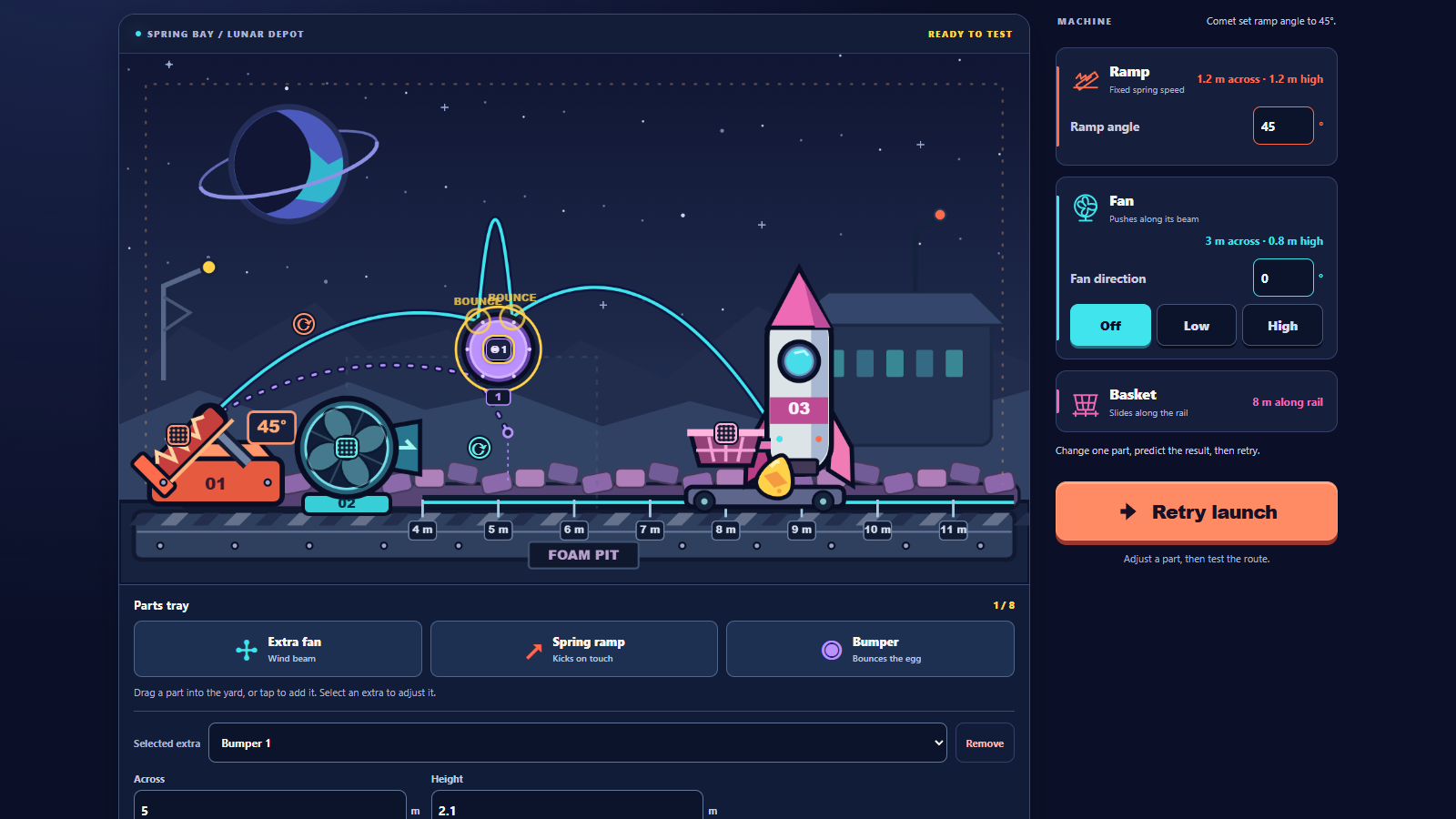
Your cargo runs cross Launch Bay, Parts Foundry and Delivery Line. The first lesson starts with a ramp angle. Later deliveries ask you to steer through numbered checkpoints and use spring kicks or bumper contacts before the basket can count as a clear.
- A spring launches the egg at a fixed speed. Aim it, change its height and see where it lands.
- Powered fans push along their beams. Extra spring ramps redirect a passing egg; bumpers bounce it.
- Latest and previous flight paths show what changed. Unlimited retries let you keep working on a setup without a countdown or lives.
- Each mission has two layers of optional hints, a setup reset and a map for replaying cleared deliveries. Clear all ten to finish the campaign.
- Workshop keeps the yard open for experiments, with up to eight extra parts.
Controls and saves
Drag dotted grips to move parts and round grips to aim them. Tap a tray button to add a part, or drag it into the yard. Angle and position boxes allow precise changes. With a grip focused, use the arrow keys; hold Shift for larger moves.
Campaign progress and settings save in the browser you use to play. Return to the same browser, profile and address to continue. The hosted game and a downloaded LAN address have separate saves; clearing browsing data can remove them. Settings include reduced motion and flight-path visibility.
Host a private crew
- On a Windows computer with Node.js 24, download and extract the entire ZIP. Follow its README and start the included launcher.
- Keep the host running and open the yard in its browser. Start a campaign or open Workshop.
- Choose Invite crew and share the private LAN link with up to three people on the same Wi-Fi. Guests open that link in their browsers. Two people can adjust the same machine and watch the same flight.
- Keep the host computer and server open while the crew plays. Use this edition on a trusted private network.
Co-op is local network play. The public browser game is solo and does not host internet rooms.